Editorial and titles
Place stereo titles and graphics at a depth you can judge, and check pacing in the format the audience will see.
Titles placed in 3D, not guessed at
For Meta Quest
VR.NDI streams your editing timeline straight to Meta Quest over your network, in 180, 360 and stereoscopic 3D. You judge titles, stitches and grades in the format they'll be watched in, with no PC, no cable and no render.
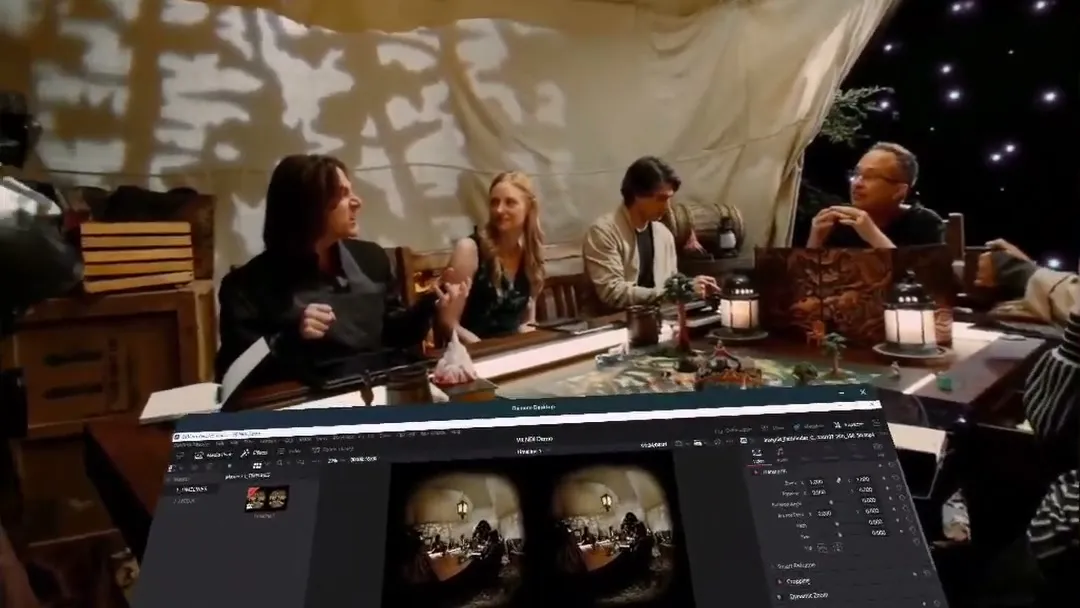
The original VR.NDI needed a Windows PC and a headset plugged in over Quest Link. VR.NDI Untethered runs natively on the Quest and picks up NDI straight off your network. Mac editors finally get a real live preview, and anyone can walk around the room or the set while they watch.
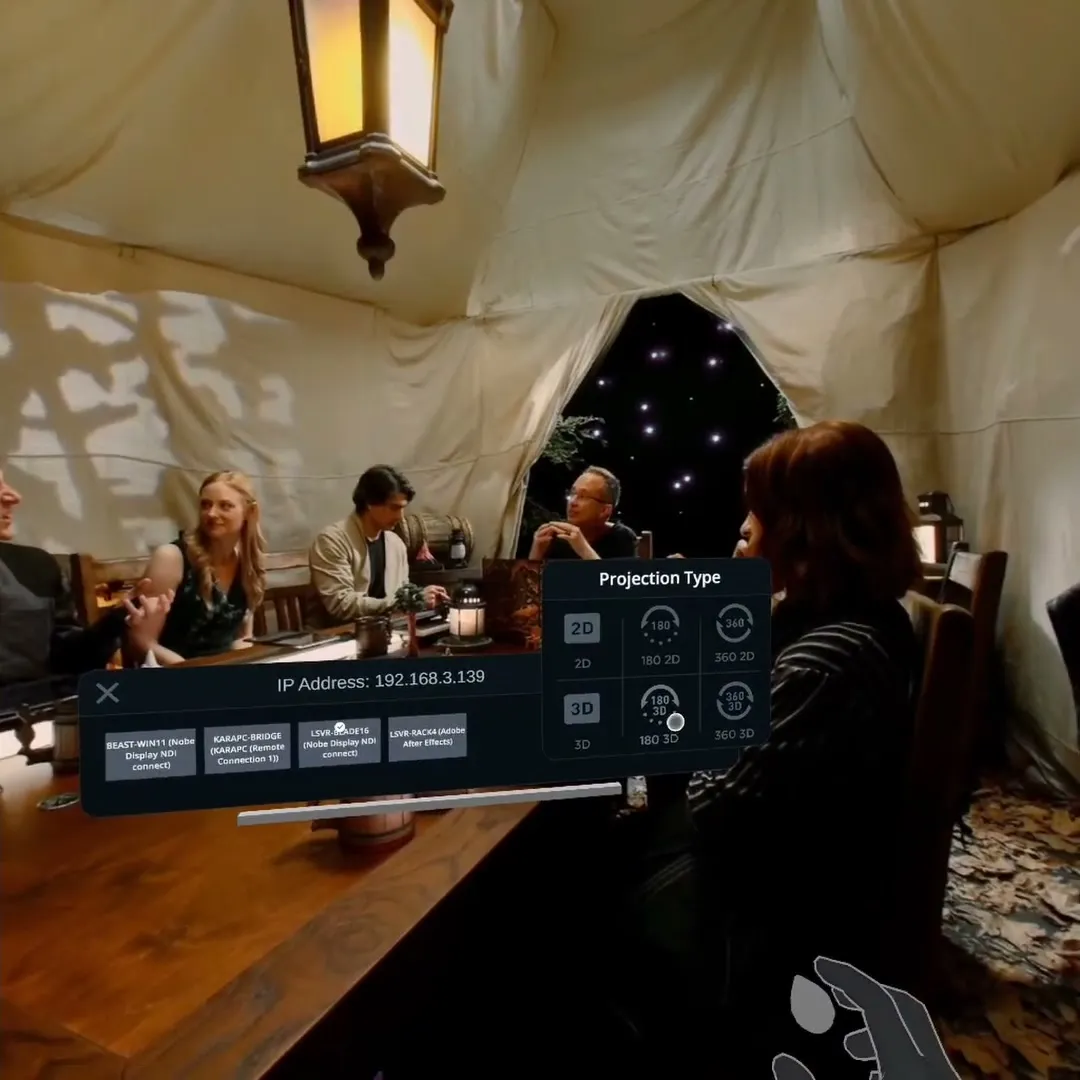
Open the gear, pick the projection, and the feed re-wraps instantly: 2D or 3D, flat, 180° or 360°. 180 3D reads side-by-side and 360 3D reads top-bottom, the way most immersive timelines are built.
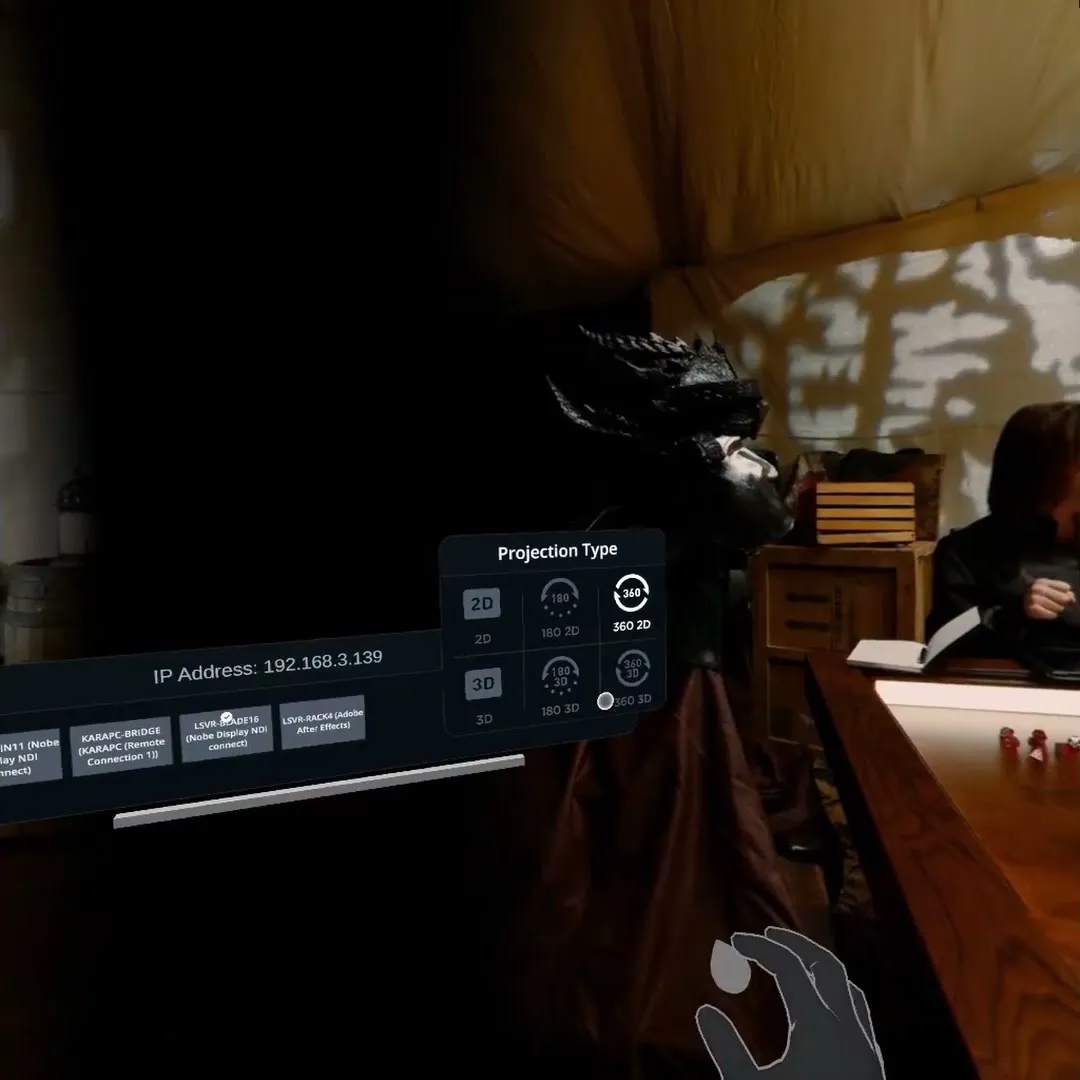
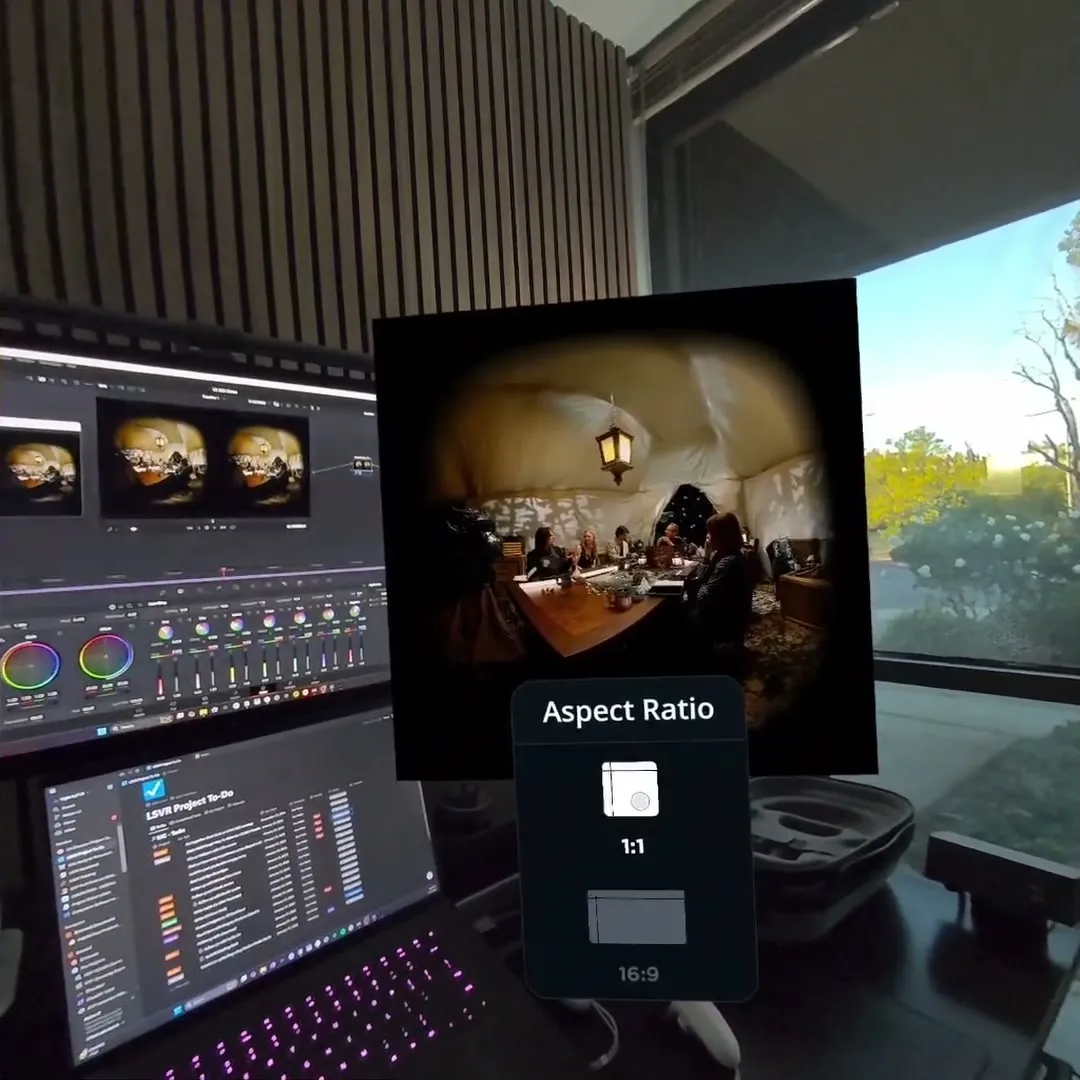
Flat 3D opens as a window you can grab and place anywhere, in 1:1 or 16:9. It's the right view for spatial video, and for keeping an eye on the room. Pinch the menu button to show or hide the controls.
VR.NDI works alongside Remote Desktop in Meta Horizon OS. Dock your computer's screen under the immersive feed, scrub and grade with it in reach, then look up to see the result in full 180° 3D.
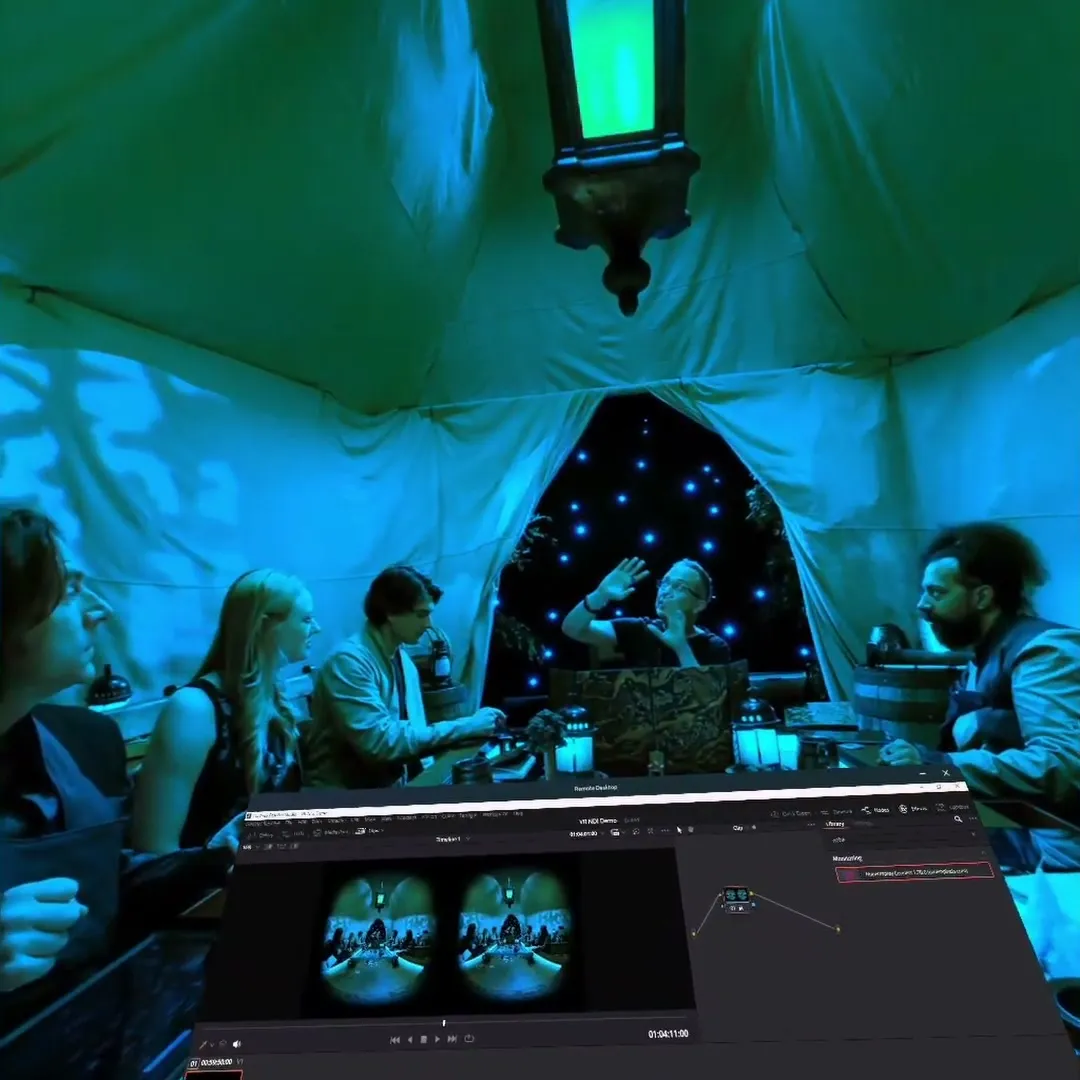
Place stereo titles and graphics at a depth you can judge, and check pacing in the format the audience will see.
Titles placed in 3D, not guessed at
Grade on your panels and judge it in the headset, live. It's part of our own color pipeline at Light Sail VR.
A grade you've seen wrap around you
Put a live camera feed on several headsets at once. Directors, clients and crew see the immersive frame as it's shot.
Everyone on the same shot, untethered
One purchase, no subscription. Point your editor at the network and put the headset on.
Meta Quest 3 · 3S · Pro · Mac or PC sending NDI
No. VR.NDI Untethered runs natively on Quest, with no Quest Link cable. The computer sending the picture can be a Mac or a PC. It only needs to be on the same network as the headset.
Anything that sends NDI. In DaVinci Resolve, add our NDIOutput plugin to the timeline node. Premiere Pro, Final Cut Pro and After Effects send NDI through the free NDI Tools.
Live cameras and switchers that output NDI work too. We use that on set to put several headsets on one camera feed.
Meta Quest 3, Quest 3S and Quest Pro.
4096×2048 (2:1) plays back smoothly. Decoding a live 4K stream is real work for the Quest's GPU, so that's the recommended ceiling for real-time preview.
8192×4096 still works, with some frame lag. That can be worth it when you're judging fine detail in a grade. In Resolve, the NDIOutput plugin's Resolution setting can send an 8K timeline at half size, so you keep a smooth preview without changing the timeline.
2D and 3D flat, 180 2D, 180 3D (side-by-side), 360 2D and 360 3D (top-bottom). Flat 3D opens as a window you can place anywhere, in 1:1 or 16:9, which suits spatial video.
Check the headset and computer are on the same network. The headset's IP address is shown at the top of the connection panel. Then make sure the sender is running and has produced a frame. In Resolve, confirm Enable NDI Output is ticked in the plugin and scrub the timeline once. Then select Refresh.
Firewalls, VPNs and guest Wi-Fi networks that isolate devices from each other commonly block NDI discovery.
The projection doesn't match the picture. 180 3D expects side-by-side; 360 3D expects top-bottom. Open the gear and pick the matching mode.
In Resolve, check the plugin's Stream Status. If your timeline uses Resolve's Stereo 3D with separate left and right eyes, set Out in the 3D palette to Side by side, and Stream Status will read Stereo (Side-by-Side).
Yes. Each headset picks the same source from its own list. We run several headsets off one live camera feed on set.
No. VR.NDI Untethered is a one-time purchase on the Meta Horizon Store, and updates are included.
Email support@lightsailvr.com. Include your headset, your editing app and version, how you're sending NDI, and your timeline resolution. That's usually enough for us to find the problem.